Hub · by shift · demo data
Today
- Alpha · morning
- $547.68
- Beta · day
- $445.88
- Gamma · day
- $439.51
- Delta · morning · live
- $404.73
- Day total
- $1,837.80
from Dashboard · every 30 minutes
ONLYdatingDashboard · CRM
Оберіть мову·Выберите язык·Choose language
Every agency gets its own address in CRM. Outside, there’s an open agency page for people who want to join your team. Inside, after sign-in, training, the team, profiles, balances and metrics share one window: the manager sees the whole agency, team leads and admins see their area, team members see their own data and shared sections. CRM is connected separately: it isn’t required for Dashboard, and Dashboard isn’t required for CRM.
how CRM solves itYour own page with the agency’s name in the link, for people who want to join your team: about you, working terms, rates, payout order, achievements, contacts. Your logo and 9 themes; edit the page right on it, with a 10-step wizard or by chatting with the AI assistant. The agency itself runs the page’s content.

who we are ONLYdating is a software supplier: it doesn’t offer jobs or handle recruitment.
Inside, there’s training: guides with tests and announcements marked “who read it”. With required completion, a newcomer opens the rest of CRM only after passing every test. The manager sees who viewed, who finished and the average time per guide. AI translates guides and announcements into English and Ukrainian on its own.
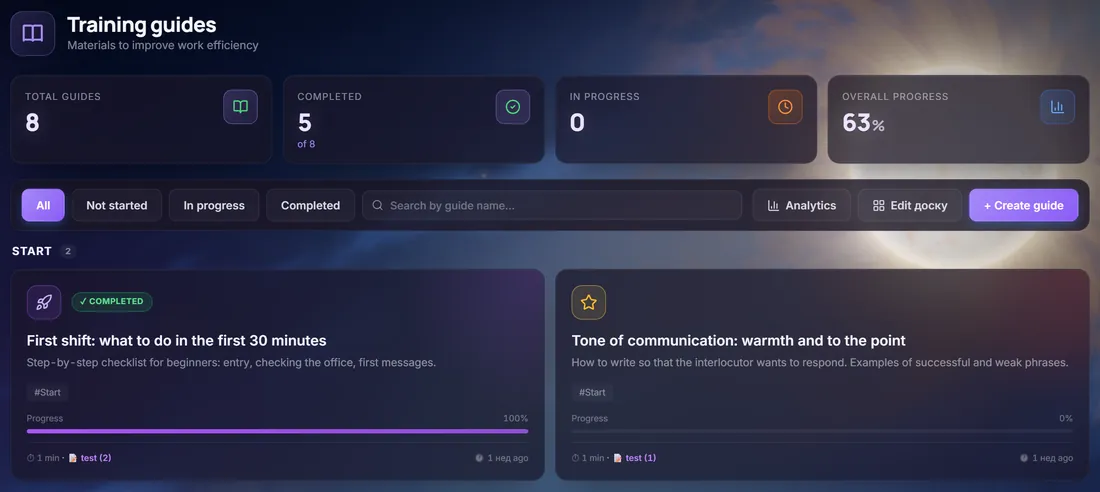
how CRM solves itThe Team section shows the agency as a tree: group and team lead → shift with its hours and admin → team members marked “online”. Groups and shifts come from Dashboard if it’s connected.
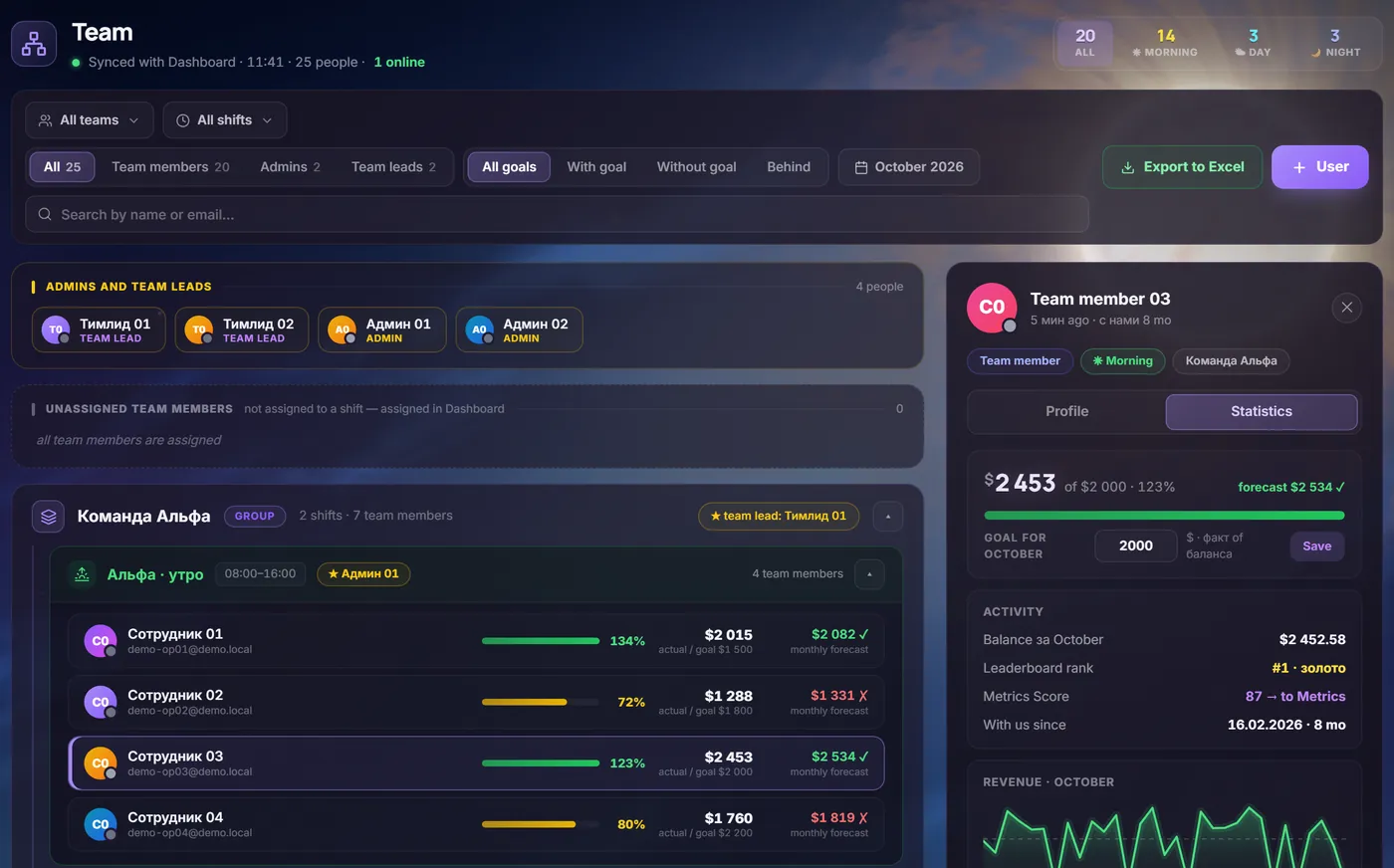
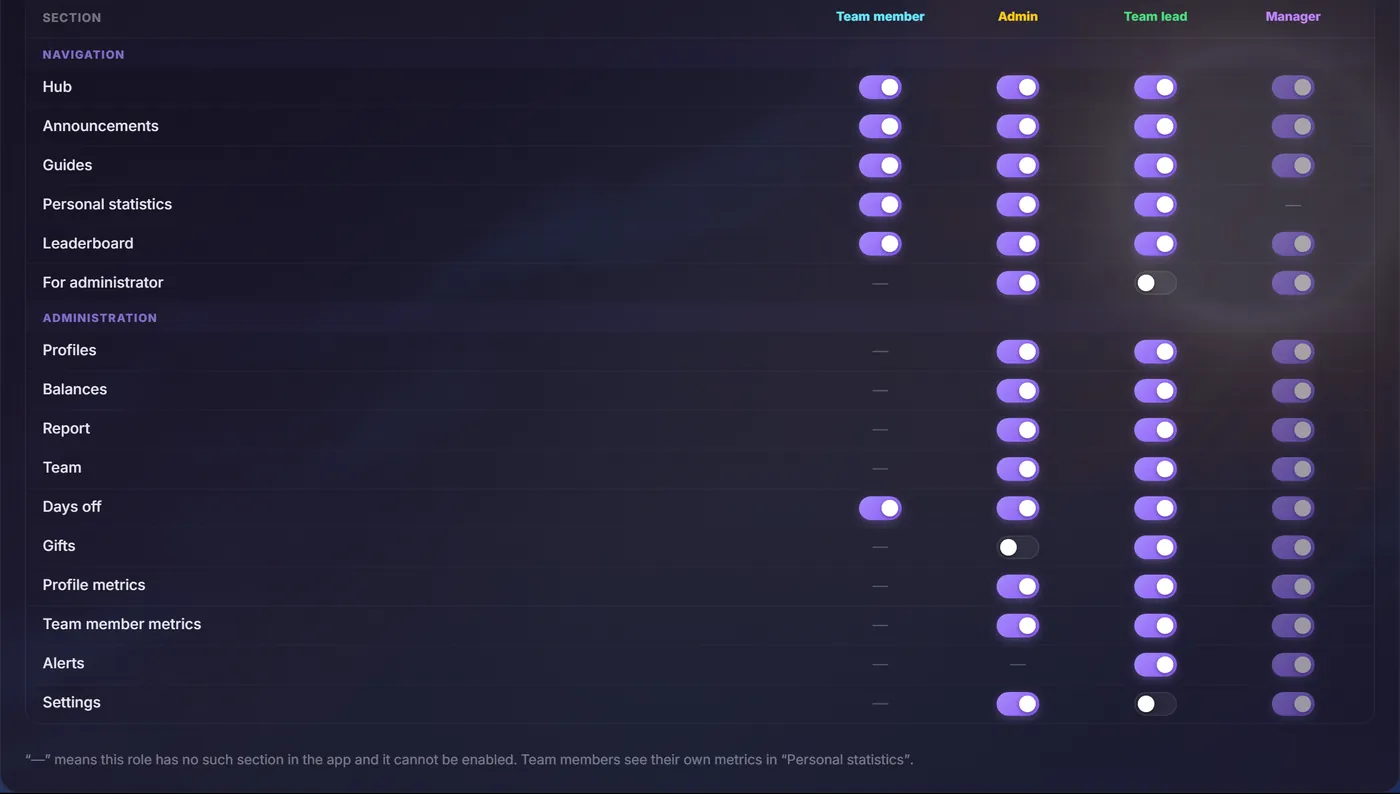
You decide who sees what. The manager switches CRM sections on or off for each role to fit the agency’s own way of working, and everyone sets up the people below them within their own sections.
Each role has its own scope: a team lead sees their groups, an admin their shifts, a team member their own data and shared sections: Hub, guides, leaderboard. Other shifts’ money shows as one total, without names.
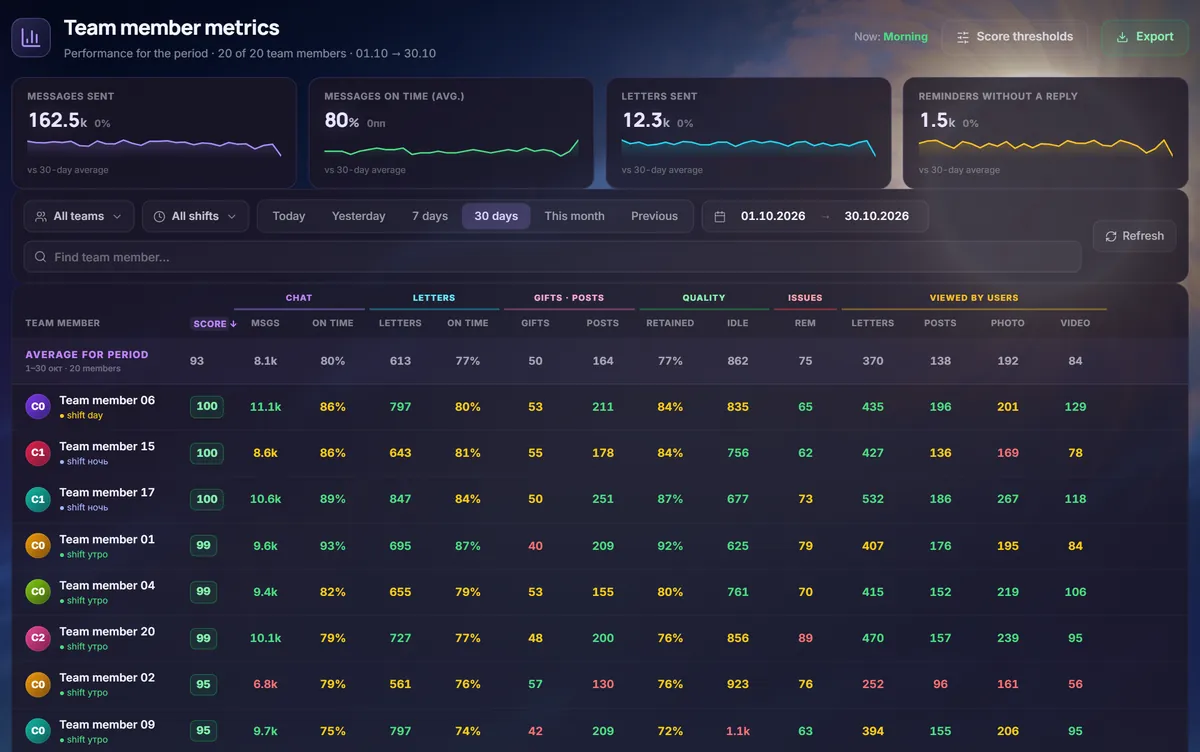
how CRM solves itYou judge your team’s work by the numbers, with the same rules for everyone. You see how each shift actually performs, and decisions that affect revenue rest on data, not impressions.
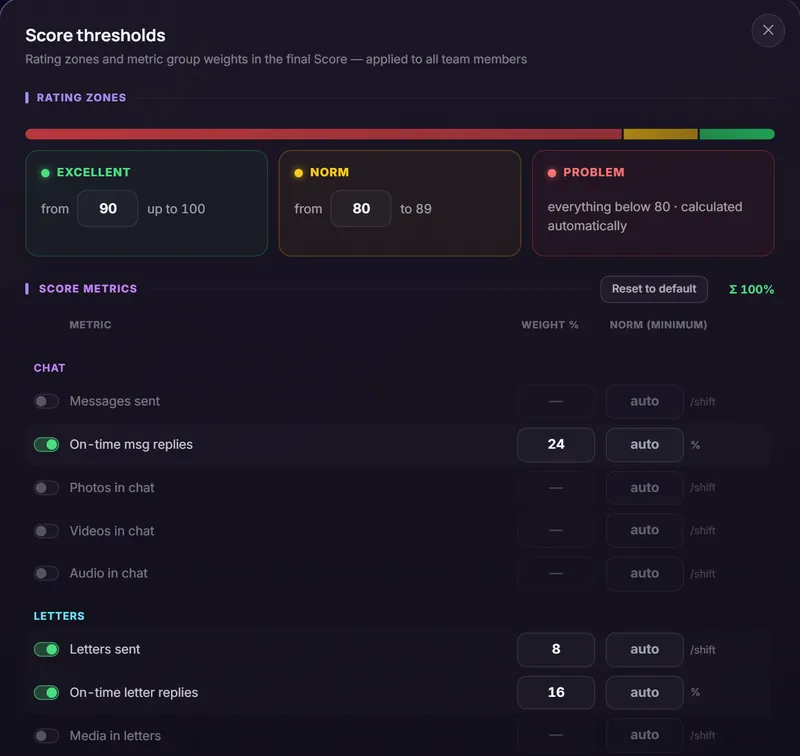
If the agency works in Dashboard, after every shift it sends the results to CRM: messages and letters, on-time replies, time without activity, reminders, connection retention, content, gifts and posts. CRM turns them into a Score from 0 to 100 using the manager’s weights and targets, and keeps the history by shift and period.
Team members see their own: earnings, target, place on the team, shift results. Team leads and admins see the metrics for their area, the manager for the whole agency.
data We don’t take automatic screenshots or record which keys are pressed. We note the fact and time of activity, work events and sign-in data.
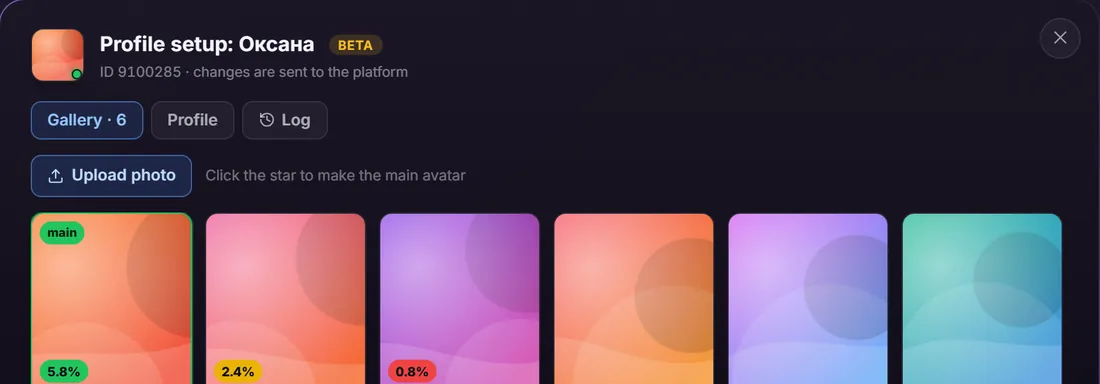
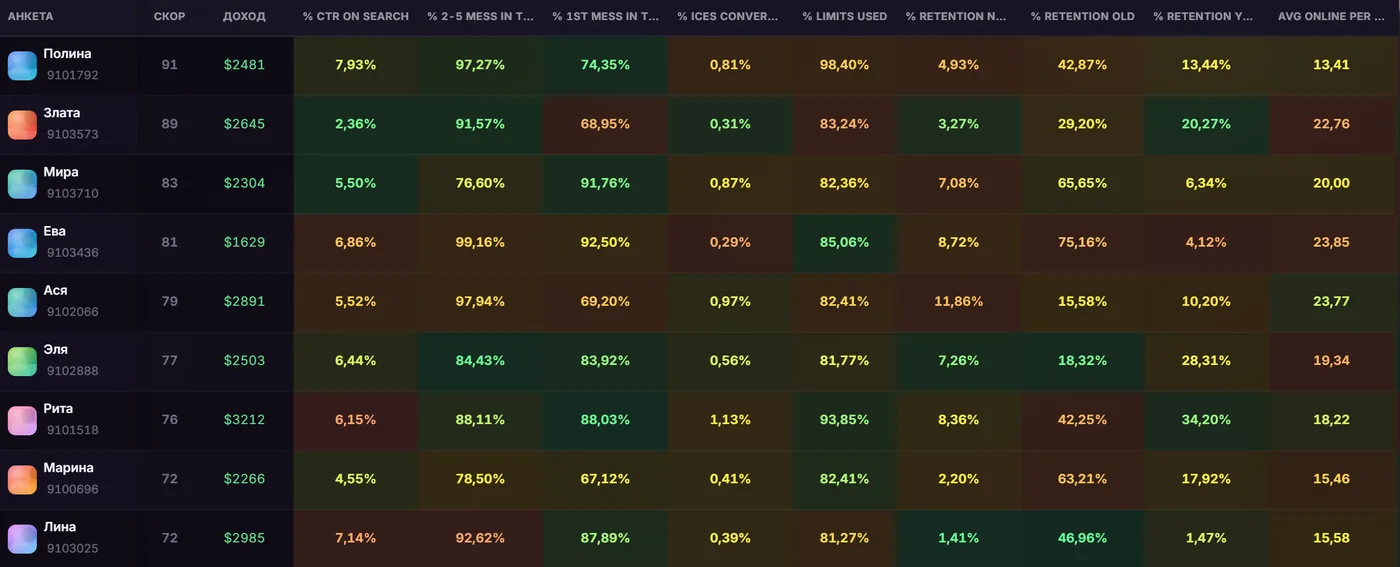
how CRM solves itIn settings, the manager connects the platforms’ admin panels and the analytics the platform gives agencies, using the agency’s own access. From there, CRM pulls profiles, balances and metrics on its own: CTR of each photo in search, profile score and status, first-message stats, retention of new and regular connections, profile revenue by day.
Problem profiles are one switch away, you can click a column header to sort, and history goes back up to six months. If a profile’s score drops, a notification arrives in the morning.
access In the main databases, admin panel passwords and analytics keys are stored encrypted.
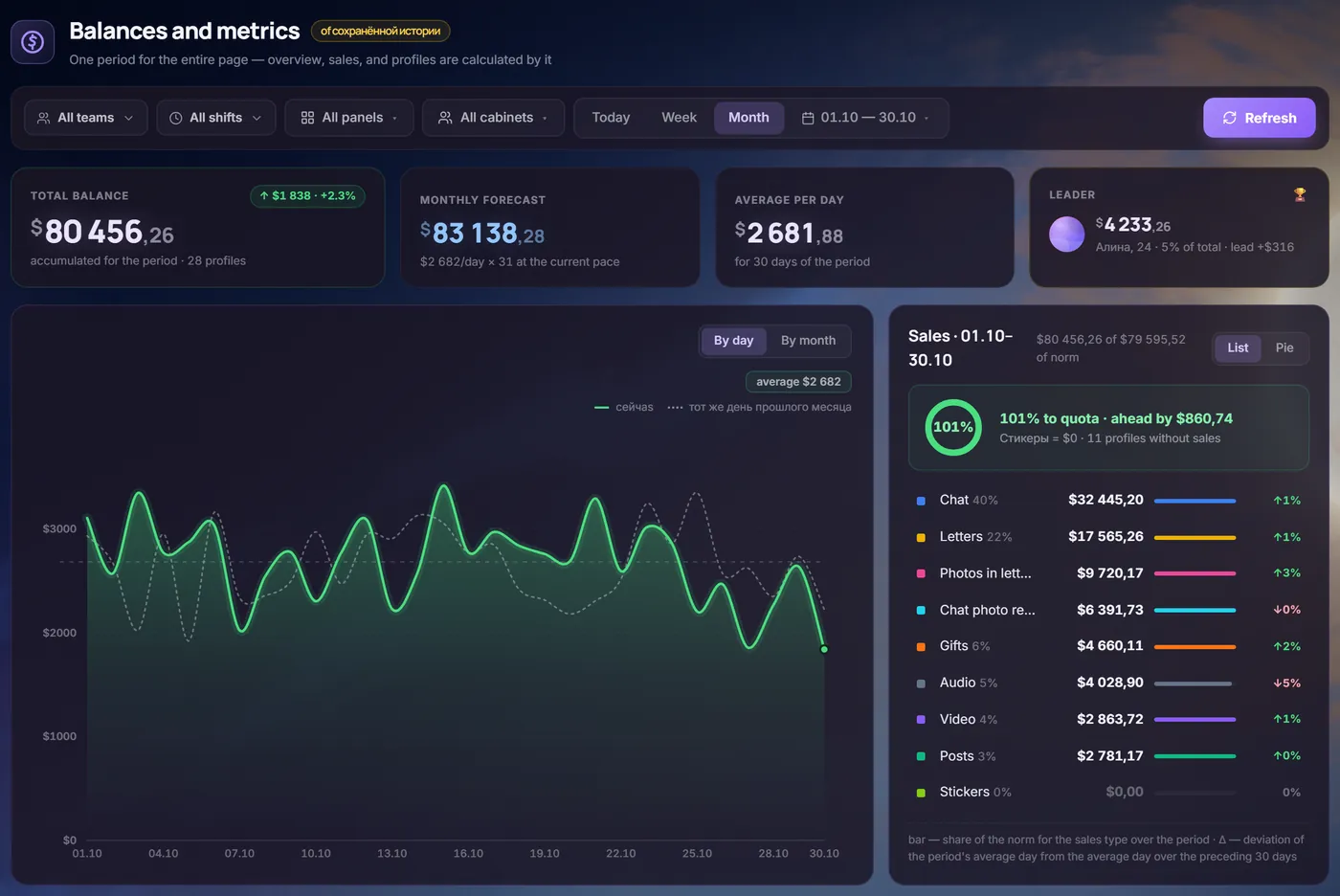
how CRM solves itCRM takes profile balances from the platforms’ admin panels at shift boundaries and checks the previous day overnight. Total balance, monthly forecast, average day and leader; breakdowns by profile, panel, cabinet and sale type, plus each team member’s contribution. Shift balances come from Dashboard every half hour and when Hub opens.
CRM calculates a team member’s earnings by the agency’s rules: base percentage, target bonus, advances, and a ready “Payout” amount. A manual edit for a day goes to Dashboard. CRM calculates; the agency pays. No money passes through us.

Hub · by shift · demo data
Today
from Dashboard · every 30 minutes
The manager connects the agency’s own access. Income and platform analytics then show up in Dashboard and CRM, with fewer manual spreadsheets and checks.
Income
Data from the platform’s admin panel. Handy tracking automation: the software does the income math, not a spreadsheet.
Analytics
Tableau: analytics the platform gives agencies. It used to take several people’s time: export, combine, send to the team. Now everyone sees their own part, right in their workspace.
The shift sees right away who to give time to first:
Works on TalkyTimes. Turnover updates several times a day but arrives with the reports’ delay; lists update once a day.
The manager sees what to change and where to look first:
Only your agency’s profiles, through its own access, with no manual exports. Updates once a day; the platform lags by about two days.
CRM And more
Connect CRM for your team
14 days free