Featuresno other panelon the market has
Dashboard is your agency's operations hub: chats, campaigns, shift and team control in one window. Below are the features we built first for TalkyTimes. Every operator action turns into revenue and flows into the CRM automatically.
What other TalkyTimes panels don't have
We rebuilt the operator's workspace from scratch. Below are 18 features we developed, grouped into four blocks: money in plain sight, traffic and first contact, team control, and operator comfort. Each one saves time and increases revenue.
See who paysand where revenue comes from
The panel highlights valuable clients on its own, counts their spending and shows exactly which action brought the money. Operators set priorities without reports or guesswork.
Auto-premium at $10+ spent
As soon as a client spends $10 or more on a conversation, the system marks them as premium automatically. Operators don't need to track thresholds manually: valuable clients are highlighted on their own and are easy not to miss.


Premium online in real time
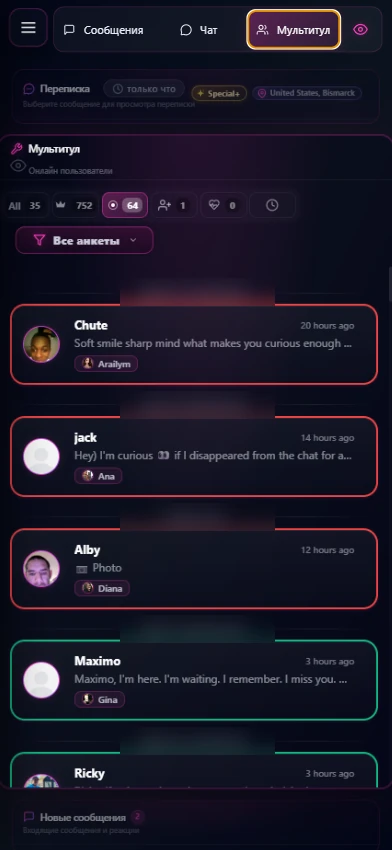
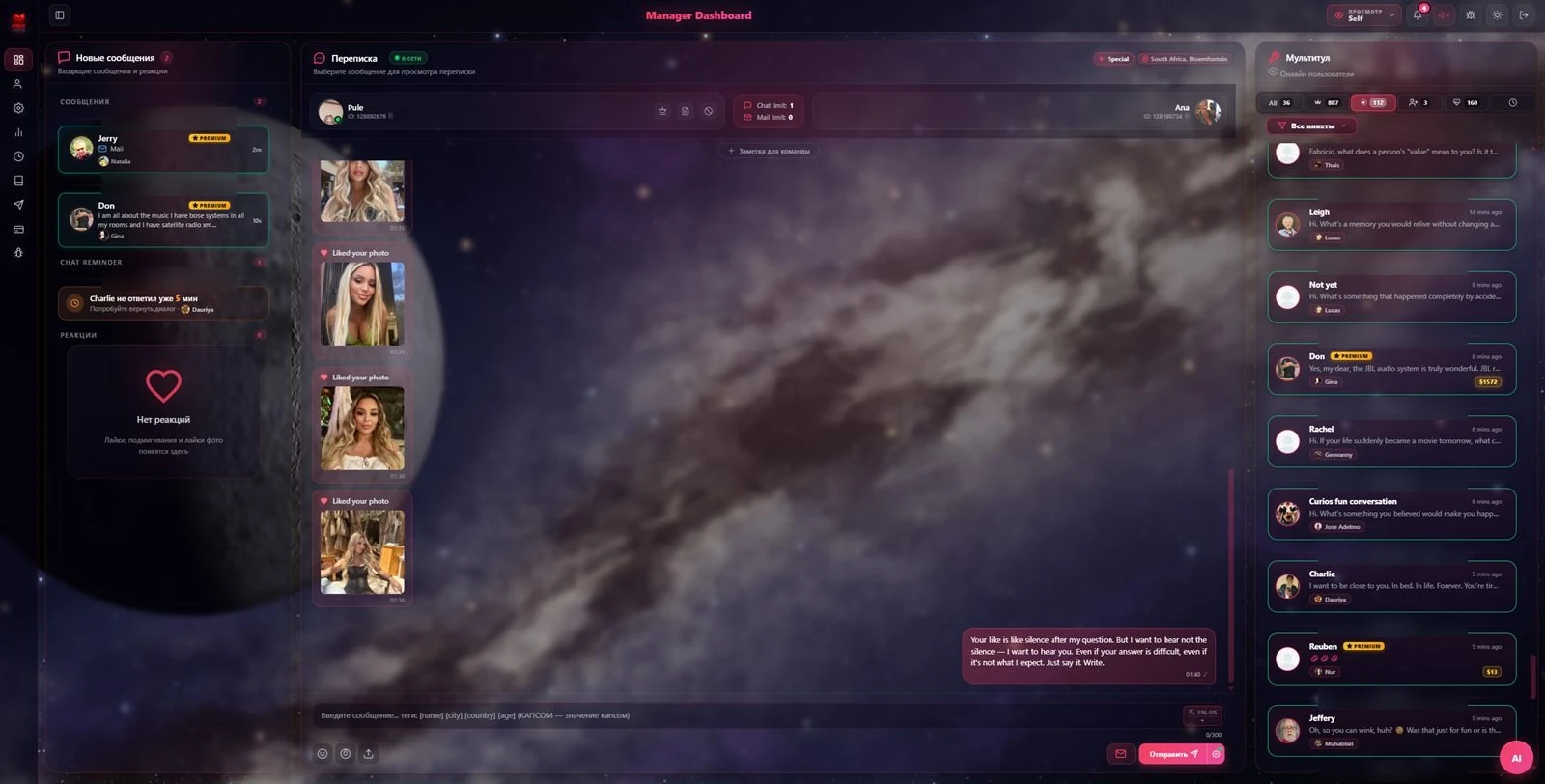
A separate stream of your most valuable clients, sorted by amount spent and how recent the conversation was. When a premium client comes online, you get a notification. Operators message those who already pay and are available right now.

3-month spending badges
Next to every client is the amount they spent on the conversation over the last 3 months ($8, $14, $30…). Operators instantly see who brings money and set priorities without reports or guesswork.

Bringing regulars back — and metrics without Tableau
A dedicated retention metric: regulars at risk of leaving — "Spending on others", "Going to competitors", "No reply" — with amounts and dates. And the software exports all metrics automatically every day: no more logging into Tableau, reporting became easier.

Shift balance right in the interface
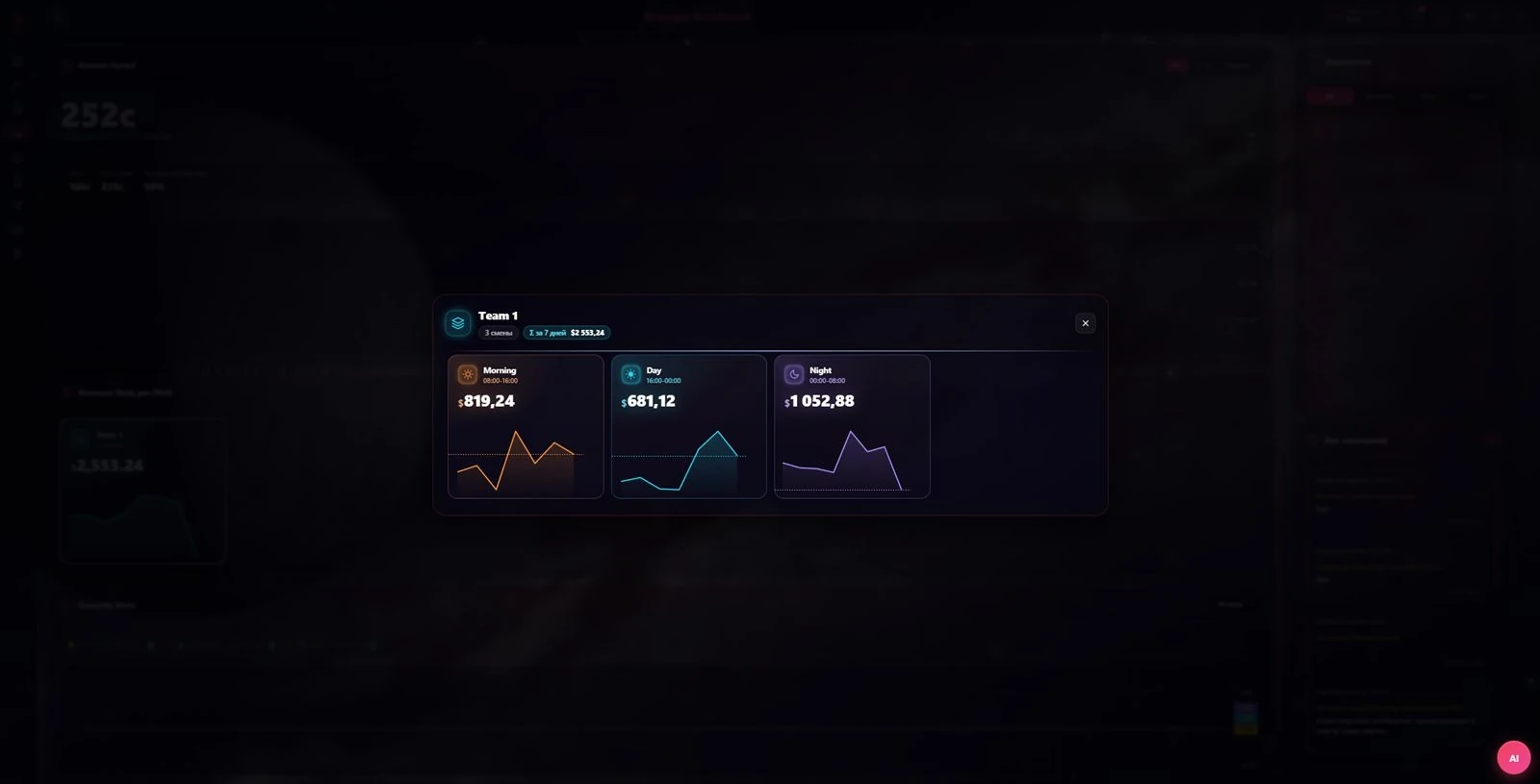
No need to open separate analytics: revenue by Morning / Day / Night shifts and the 7-day total are visible right in the Dashboard, with a live chart for each shift. It's immediately clear which shift performs and which lags.

Content view notifications
The system sees who opened paid content and sends a notification immediately — the operator knows what worked and closes the warm client. A separate signal arrives if another operator paused and handed over the account. No more hunting for where the money came from.


More conversationscoming in
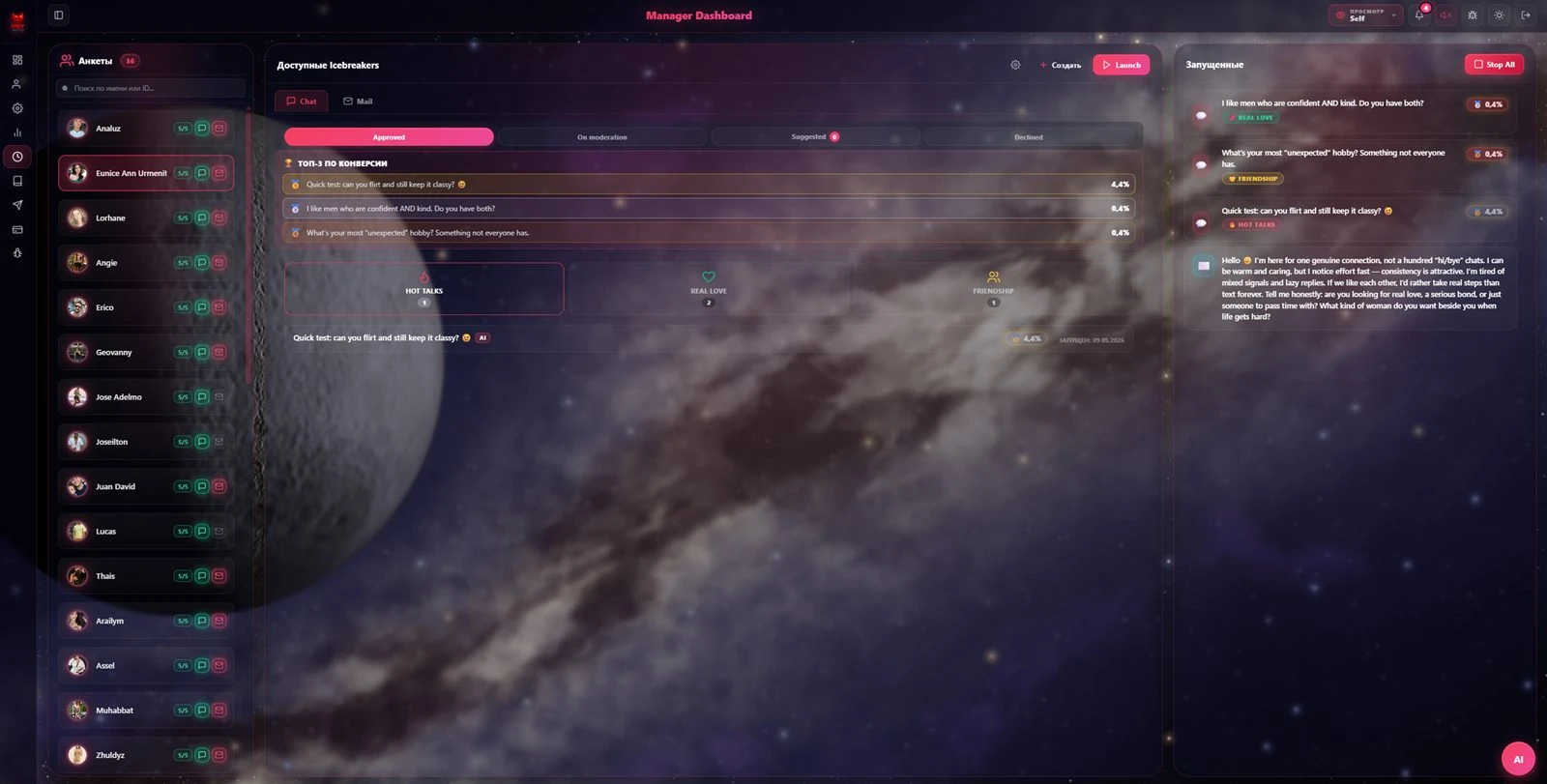
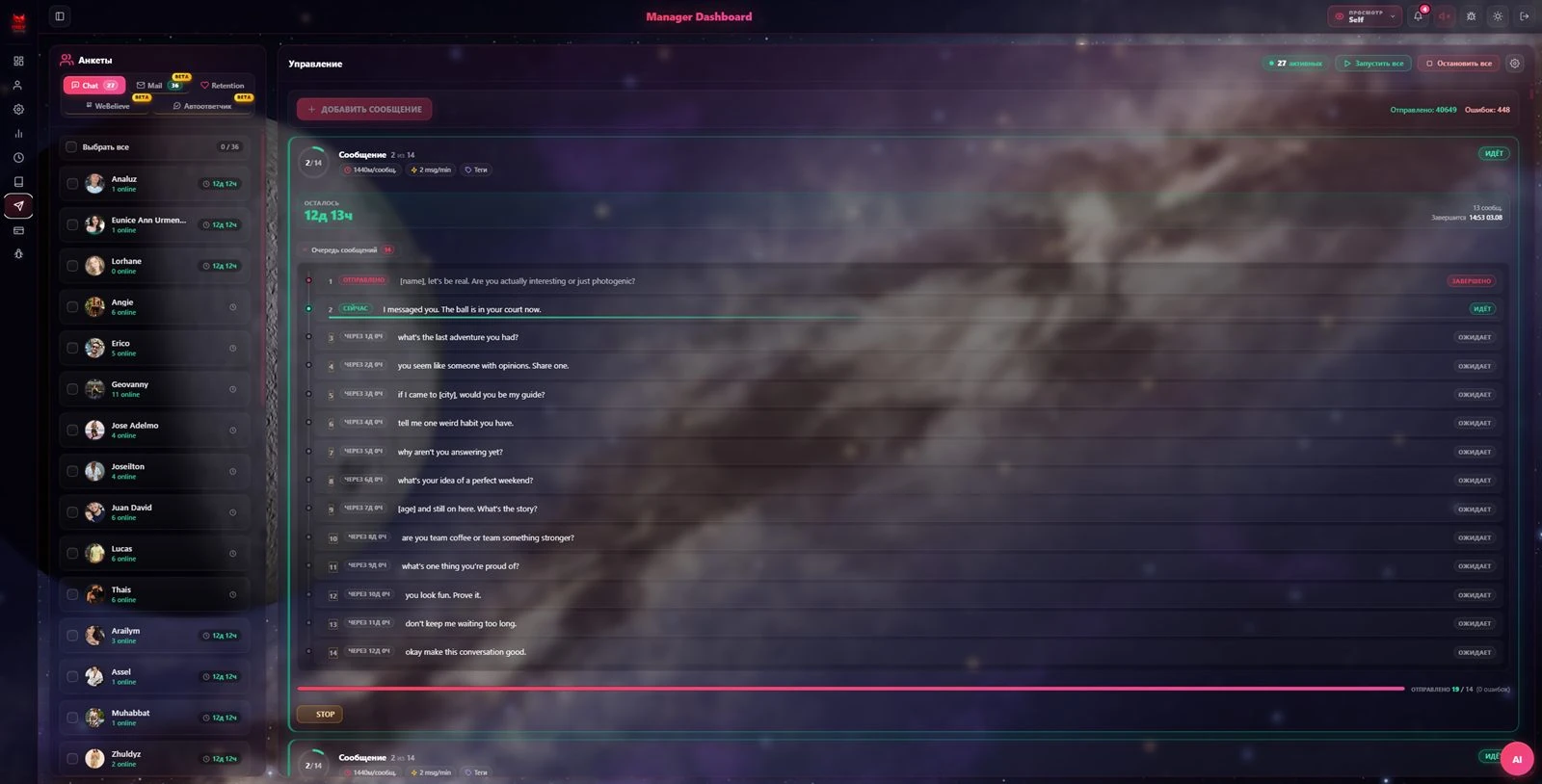
Mass campaigns across five channels, free internal platform traffic and work with those currently offline. Your flow of new clients no longer depends on who is online right now.
Campaigns no TalkyTimes chat panel had before
Sender scales first contact — a message queue across selected profiles and audiences, running on 5 channels at once: chat, letters, retention, WeBelieve and auto-reply. The operator steps in once the conversation has already started.


We Believe — the platform's internal traffic
A separate tab with incoming dating requests from the platform itself. This is a free flow of new clients: while other agencies learn about a request late, your operators handle it within minutes.

Offline user list for every profile
A separate list of those currently offline — broken down by each profile. Operators follow up with clients who went cold and never sit idle when the online audience runs out.

Every actionvisible and attributed
Who did what, who is idle and who exactly sent a message — all visible right in the panel. Quality review takes seconds instead of exports and side conversations.
See through the operator's eyes
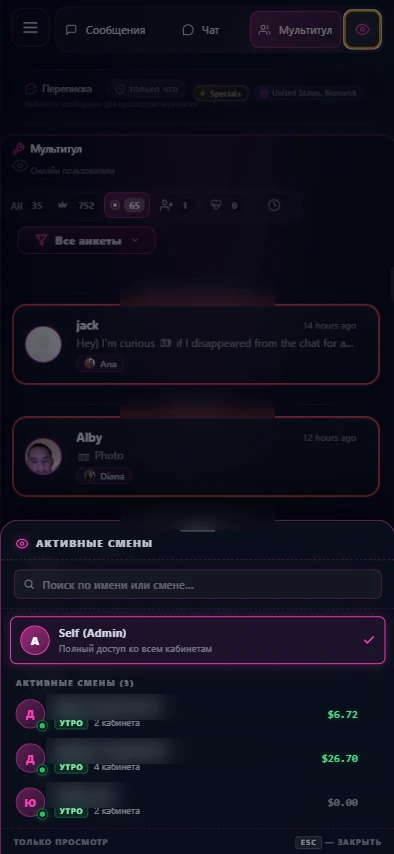
A team lead or owner switches into a specific operator's view in one click and sees exactly what that operator sees during the shift. Quality control without logging into anyone's account — just pick a shift from the active list.

Tracking real actions, not Tableau metrics
Dashboard tracks the operator's actual activity in the interface. Present but not replying for 4 minutes — a "Time to work!" reminder appears with an idle counter. Control is based on real actions, not after-the-fact exports.

Feedback notes right in the interface
A team lead leaves a note for the operator not in chats or spreadsheets, but right in the panel — linked to the shift and the conversation. The operator sees "Under review" and corrects immediately. Feedback with nothing lost and no side conversations.

A new approach to notes
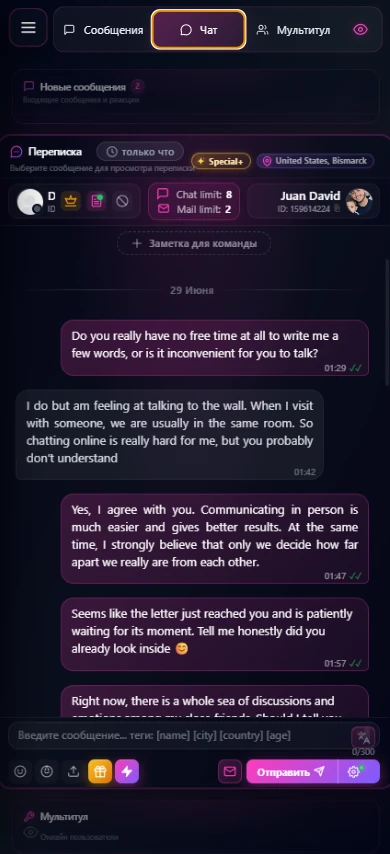
A short team note is pinned to the client right in the chat header. Shifts change — context doesn't get lost: the next operator immediately sees where things left off. Up to 240 characters, saved in one click.

Every message is signed by its author
Every message is tied to the operator who sent it. An admin doesn't need to figure out who wrote it: they open the chat and immediately see the author, with a "Leave a note" button right there. Responsibility is personal, and message quality improves on its own.

Comfortable for operators —shifts move faster
A translator and AI assistant right in the interface, your earnings in plain sight, and support that fixes issues within hours. Less routine and downtime — more conversations per shift.
A interface tuned to you
Every operator tunes the panel to their taste: Cosmic HUD design, 8 color themes (Lavender, Ocean, Cherry, Nova…), text size and weight. There's an optimization mode for low-end PCs — the panel stays smooth on any machine.

Built-in translator
Translation right in the interface, into any language. The operator picks a language once and it holds for the whole shift: no switching it in every chat, no third-party tabs left open. There's a hotkey and auto-translate on send.

AI assistant in one click
The operator forgot a detail of the persona or got stuck in a conversation — they ask the AI assistant without leaving the panel. In 20–30 seconds the answer is on screen: the pet's name, profile details, a hint for the situation. The AI reads the whole conversation and answers with facts, not guesses.


Shift history and your earnings
Every operator sees a calendar of their shifts with daily earnings, period statistics and a forecast to the end of the month, plus the team ranking alongside. Transparency instead of guesswork: it's clear how much you earned and how much more is possible.

24/7 support and bug reports from the panel
Found a bug or an inconvenience — send a report in one click without leaving the interface: category, severity, steps and screenshots. The system attaches the browser, URL and console errors itself. Critical issues are fixed within hours, the rest within a day.

The main tool:who to talk to right now
One panel brings it all together: who's online, who's premium, who wants to meet (platform traffic) and which regulars are at risk of leaving. Switch modes — each one solves its own revenue task.
{{ mtTitle }}
{{ mtDesc }}
Chats, profiles and content —in one window
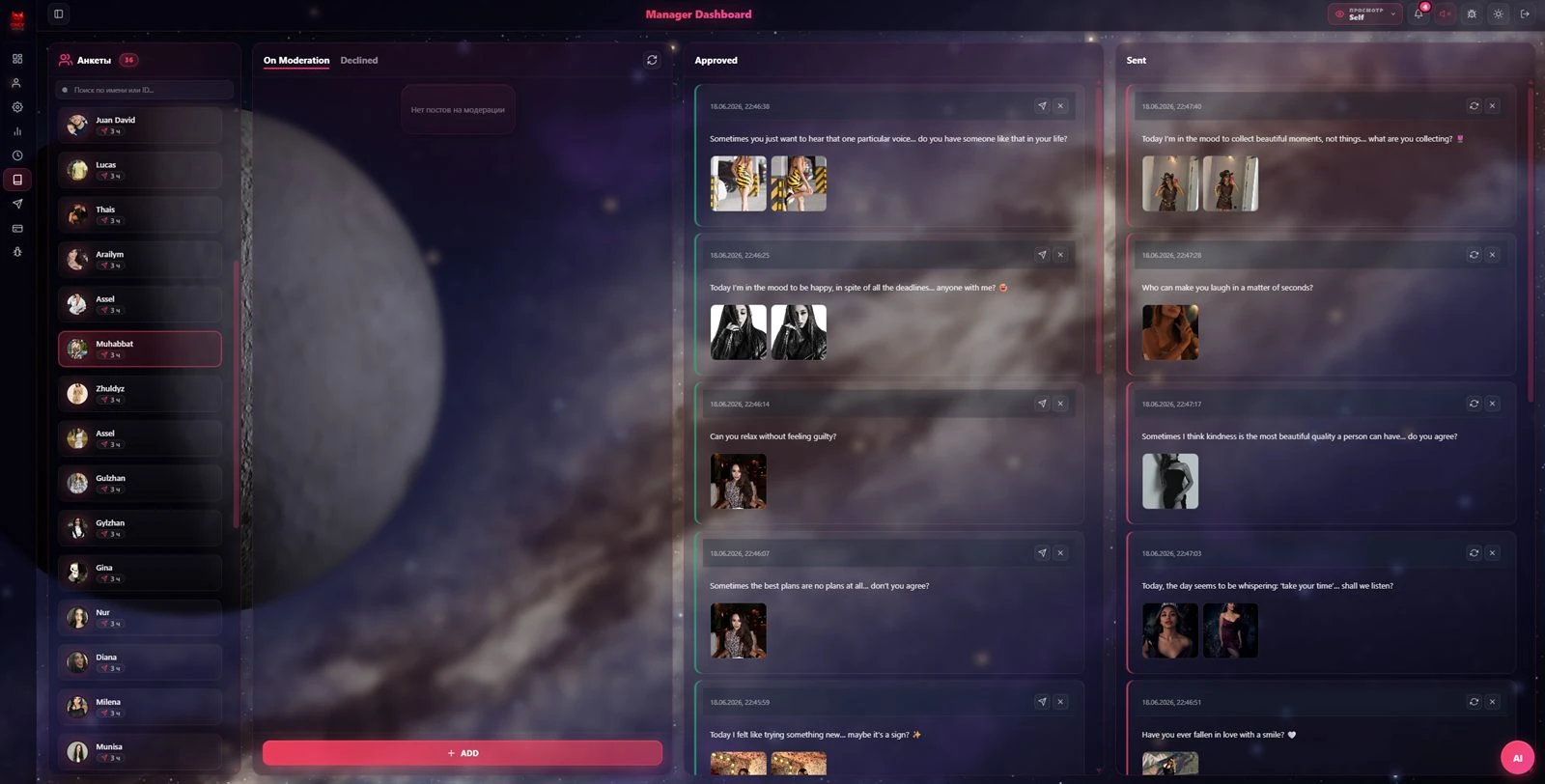
On top of the new features sits a full operations suite: 35 profiles, chats with limits and tags, a media library, gifts and exclusive posts. Everything close at hand, no tab-hopping.


Operator actions →metrics in the CRM
Settings connects accounts, shifts and Datame. Monitoring captures the shift's work in real time, while metrics, balances and days off flow automatically into OnlyDating CRM — where the owner sees the result.


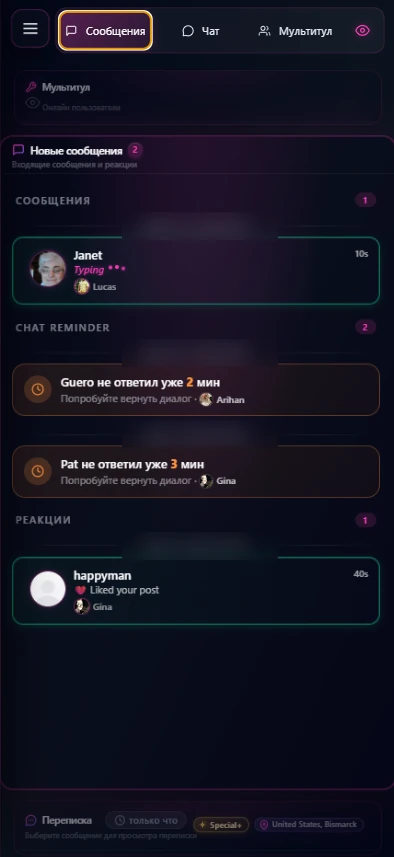
The full Dashboardright on your phone
Operators run a shift from anywhere — every tab, chat and the Multitool are fully adapted for mobile. Nothing is stripped down: the same features and the same control, just in your pocket.